Your Azure Reservations Are Losing Their Safety Net
For years, one sentence has quietly justified a lot of three-year Azure purchases: "We can always exchange it later."
That option is narrowing. From 1 February 2027, reservations bought after that date can no longer be exchanged if the service they cover is also supported by savings plans. That includes Azure Virtual Machines, Azure App Service and Azure SQL Database. Reservations bought before 1 February 2027 keep the right to one final exchange.
A few things are not changing. Instance size flexibility for virtual machines is unaffected, the cancellation policy stays the same, and trading eligible reservations in for a savings plan is still available. Reservations for services that savings plans don't cover, such as Azure VMware Solution, are also outside the change.
The practical effect is simple. A reservation bought after the cut-off for a savings-plan-eligible service is a commitment you will mostly have to live with. That makes the checks before the purchase matter more than they used to.
Why reservations go wrong
A reservation is a promise to pay for a specific resource type, size and region for one or three years. Azure applies the discount hourly to matching usage. When nothing matches in a given hour, that hour is gone. Microsoft describes the discount as "use-it-or-lose-it": unused reserved hours don't carry forward.
Most of the reservation waste we see in our reviews isn't caused by a bad purchase decision on the day. It comes from the estate moving after the purchase. VMs get resized into a different series, workloads move region, a migration finishes early, or a project winds down. The reservation stays exactly where it was.
Exchanges were the safety valve for that drift. With the valve narrowing, the discipline has to move earlier: optimise usage first, then commit to what is left.
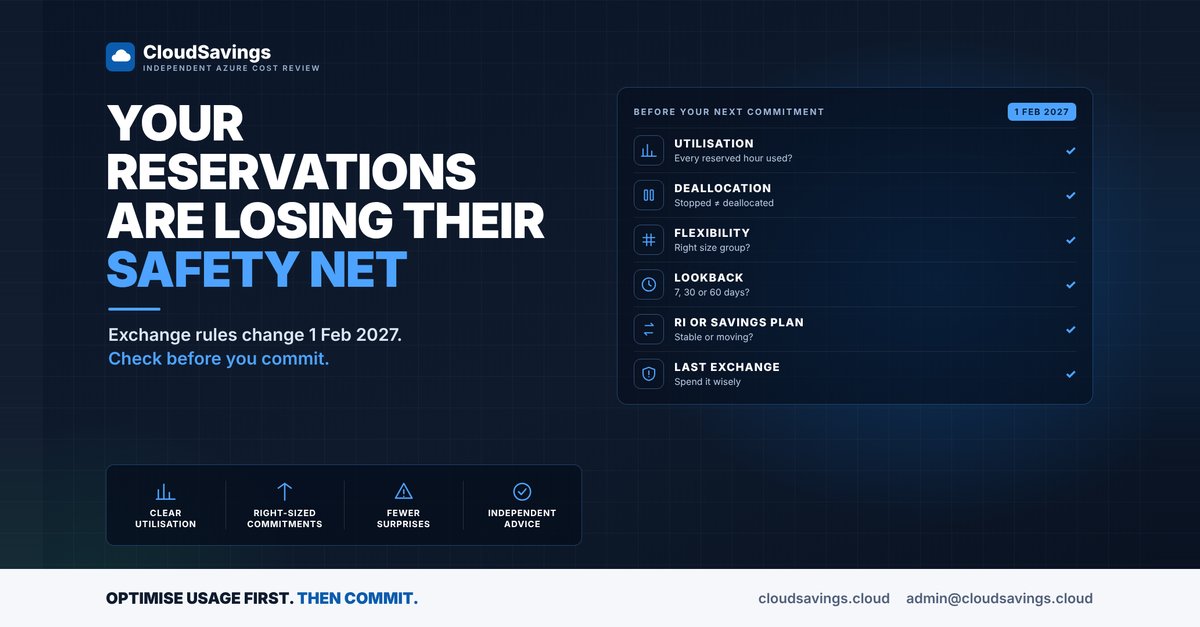
What we check before a commitment
These are the settings and signals we look at in our reviews before anyone signs a new reservation or savings plan.
- Utilisation. Is every existing reservation used every hour? A reservation sitting at 70 per cent utilisation (an illustrative figure) is paying for 30 per cent of hours that produce nothing.
- Stopped versus deallocated. Microsoft is explicit that stopped VMs are billed and continue to use reservation hours. A VM that was shut down from inside the operating system, rather than deallocated, can hold reservation hours that another workload could have used.
- Instance size flexibility. VM reservations can be optimised for instance size flexibility, so the discount applies across sizes in the same flexibility group. By default it is on for shared-scope reservations, but single-scope reservations can be set to capacity priority instead. The question is whether the flexibility group still matches the VM series your teams actually deploy today.
- Scope. A reservation scoped to a single subscription or resource group can only find matching usage there. If the workload moved, the discount didn't follow it.
- Recommendation lookback. Azure's recommendation engine evaluates hourly usage over the past 7, 30 and 60 days. A window that includes a migration, a load test or a quiet holiday period can push the recommended quantity up or down. Know which window a number came from before you trust it.
- Reservation or savings plan. Reservations lock in a specific resource, size and region and give deeper discounts for stable usage. Savings plans are an hourly spend commitment that applies across eligible services and regions, which suits workloads that move. Savings plans can't be cancelled or refunded, and unused hourly commitment also expires.
- The last exchange. For reservations bought before 1 February 2027, which ones most need their one remaining exchange? Spending it on a minor tidy-up could leave nothing for the reservation that drifts badly next year.
How to check your own estate
All of these steps are read-only.
1. Review utilisation for every reservation
In the Azure portal, go to Reservations. Each reservation shows its last known utilisation percentage. Select the percentage to see the utilisation history. Billing administrators on an Enterprise Agreement or Microsoft Customer Agreement can see the same view from Cost Management + Billing > Reservations. Look for anything consistently below full utilisation, and note when the drop started.
2. Find stopped VMs that were never deallocated
Azure Resource Graph Explorer can list VMs whose power state is stopped but not deallocated, across every subscription you can read:
Resources
| where type =~ 'microsoft.compute/virtualmachines'
| extend powerState = tostring(properties.extended.instanceView.powerState.code)
| where powerState =~ 'PowerState/stopped'
| project name, resourceGroup, subscriptionId, size = tostring(properties.hardwareProfile.vmSize), location
Compare the sizes and regions against your reservations. Any match is a VM holding hours it isn't using.
3. Check each reservation's configuration
Open a reservation and go to Settings > Configuration. Note the scope and the Optimize for setting. Then compare the reserved size against the VM series your current templates and pipelines deploy. A reservation for a series nobody builds any more will only drain as the old VMs are retired.
4. Read recommendations with the lookback in mind
Before buying, review the purchase recommendations under Reservations > Add for the scope you intend to buy at. Advisor shows single-subscription recommendations only, so broader scopes need the purchase experience. Microsoft notes that recommendations already account for existing reservations and savings plans, and advises allowing at least three days after buying one before considering the other. Cross-check the period behind the recommendation against your change calendar.
5. Make low utilisation visible
Cost Management supports reservation utilisation alerts. Setting one up means a drop in utilisation reaches a person within days, not at the next annual review.
The lesson
Commitments are rate optimisation. They only pay off when usage optimisation comes first. The FinOps Framework treats these as separate capabilities for a reason: buying a discount on usage you don't need is still waste, just cheaper waste.
With exchanges narrowing in 2027, the best time to fix a reservation is before it is bought. If nobody in your team reviews reservation utilisation on a schedule, that is the first gap to close.
Sources
- Self-service exchanges and refunds for Azure Reservations
- How a reservation discount is applied to Azure virtual machines
- Virtual machine size flexibility with Reserved VM Instances
- Manage Reservations for Azure resources
- Reservation recommendations
- View Azure reservation utilization
- What are Azure savings plans for compute?
- FinOps Framework: Rate Optimization
- FinOps Framework: Usage Optimization
An independent view of your Azure spend. I sell no licences, managed services or remediation, so my findings have nothing attached to them.
Book a 30-minute call