Are You Paying for Windows Twice?
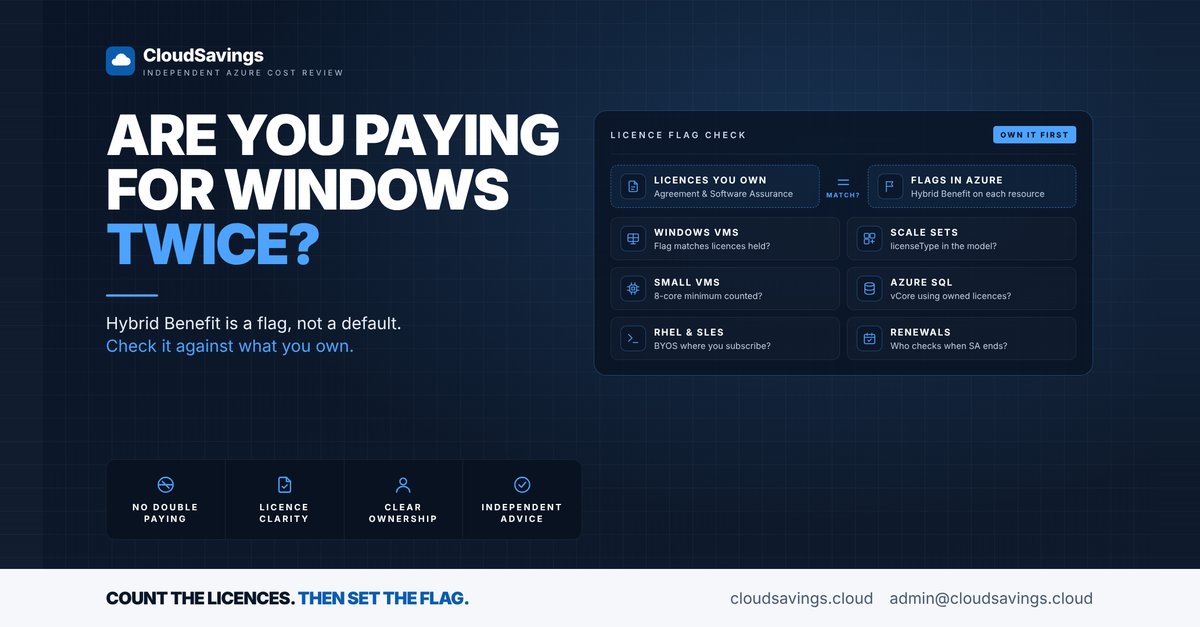
Azure Hybrid Benefit isn't a discount you sign up for once. It is a licence flag on each resource, and it stays off until someone sets it.
That design catches a lot of organisations out. The benefit is well known. The gap is that VMs built by pipelines, scale sets and new SQL databases quietly run on pay-as-you-go licensing, while the Software Assurance the organisation already funds sits unused against them.
The opposite gap is just as real. Switching the flag on everywhere, without counting the licences behind it, turns a cost saving into a licensing exposure.
Licensing eligibility is for your licensing team to confirm. Nothing here is licensing advice. What we look at in our reviews is whether the flags in Azure line up with what the organisation says it owns.
Why the flags drift
Azure Hybrid Benefit lets you apply eligible on-premises licences to Azure resources and pay a lower rate for the compute. For Windows Server, Microsoft requires on-premises core licences with active Software Assurance or qualifying subscription licences. For Azure SQL, it covers Software Assurance-enabled SQL Server licences.
The benefit is applied resource by resource. For a Windows VM, it is the licenseType property set to Windows_Server. Changing it doesn't restart the VM; Microsoft describes it as a metadata licensing flag only. That is exactly why it drifts. Nothing breaks when it is wrong in either direction.
Three patterns cause most of the gaps:
- Hand-built versus automated. The flag gets set on VMs someone created in the portal, but the template or pipeline that builds the next hundred VMs never sets it.
- New services. A team moves a database to Azure SQL and picks the default licence-included option, even though the organisation holds SQL Server licences with Software Assurance.
- Licence changes. Software Assurance lapses or a licence agreement is renegotiated, and nobody goes back to the flags.
What we check
These are the settings we compare against the licence position the customer provides.
- Windows VMs. Does the count of VMs with the benefit enabled match the Windows Server core licences actually available for Azure? The portal's OS licensing benefit column shows each VM's state.
- Scale sets and templates. For virtual machine scale sets, Microsoft says
licenseTypemust be set in thevirtualMachineProfile. If it is only set on individual VMs, every scale-out instance is billed with Windows licensing included. - The 8-core minimum. Microsoft requires a minimum of 8 core licences per VM, even for a smaller instance. A 4-core VM still needs 8 core licences; a 12-core VM needs 12. A fleet of small VMs can consume far more licences than its vCPU count suggests.
- Azure SQL vCore and Managed Instance. For Azure SQL Database, the benefit only applies to the provisioned compute tier of the vCore model, not DTU or serverless. Managed Instance also supports it. Licence-to-vCore ratios differ by edition and service tier, which is a detail for the licensing team.
- Centrally managed SQL licences. Enterprise Agreement and Microsoft Customer Agreement customers can assign SQL Server licences at subscription or billing account scope instead of per resource. Usage above the assigned licences is billed at pay-as-you-go rates, so someone needs to watch assigned licence utilisation.
- RHEL and SLES. Azure Hybrid Benefit for Linux switches eligible Red Hat Enterprise Linux and SUSE Linux Enterprise Server VMs between pay-as-you-go and bring-your-own-subscription (
RHEL_BYOS,SLES_BYOS) without redeploying. Red Hat VMs require the Azure account to be part of Red Hat Cloud Access. - Renewals. Who rechecks the flags when Software Assurance or a subscription licence ends? Eligibility depends on it being active.
How to check your own estate
All of these steps are read-only. They show you the flags; they don't tell you what you are entitled to.
1. List Windows VMs and their licence flag
In Azure Resource Graph Explorer, this query lists Windows VMs across every subscription you can read, with their licence type and size:
Resources
| where type =~ 'microsoft.compute/virtualmachines'
| where tostring(properties.storageProfile.osDisk.osType) =~ 'Windows'
| project name, subscriptionId, resourceGroup,
    licenseType = tostring(properties.licenseType),
    size = tostring(properties.hardwareProfile.vmSize)
An empty licenseType means the VM is billed with Windows licensing included. In the portal, add the OS licensing benefit column on the Virtual machines list for the same view.
2. Check scale set models
The Azure CLI lists scale sets that already have the benefit in their model:
az vmss list --query "[?virtualMachineProfile.licenseType=='Windows_Server']" -o tableCompare that list with all Windows scale sets. Then check the templates or pipeline definitions that create them, because the next deployment will repeat whatever the template says.
3. Estimate licence consumption
Export the VM list from step 1 and, for each VM with the benefit enabled, count the greater of 8 and its core count. Hand that total to your licensing team to compare with the licences available. As an illustration, ten 2-vCPU VMs with the flag set count as 80 core licences, not 20.
4. Review Azure SQL licence settings
For each Azure SQL database and Managed Instance, open Settings > Compute + storage and check whether Azure Hybrid Benefit is selected. If your organisation uses centrally managed licences, review the assignments and assigned licence utilisation under Cost Management + Billing at the scope where they were assigned.
5. Check Linux licence types
For RHEL and SLES VMs, the CLI returns the licence type:
az vm get-instance-view --resource-group <resource-group> --name <vm> --query licenseTypeAn empty result means the VM uses the billing model of the image it was deployed from.
The lesson
Hybrid Benefit is a licensing decision first and a cost lever second. The FinOps Framework places it under the Licensing & SaaS capability: know what you own before you claim it.
The useful question is not whether the benefit is on. It is who owns the link between the licence agreement and the flags in Azure, and when they last compared the two.
Sources
- Explore Azure Hybrid Benefit for Windows VMs
- What is centrally managed Azure Hybrid Benefit for SQL Server?
- Azure Hybrid Benefit for Azure SQL Database and SQL Managed Instance
- Azure Hybrid Benefit for Linux virtual machines
- FinOps Framework: Licensing & SaaS
- FinOps Framework
An independent view of your Azure spend. I sell no licences, managed services or remediation, so my findings have nothing attached to them.
Book a 30-minute call