Who Actually Owns Your Azure Bill?
Ask who owns the Azure bill and you usually get one of three answers. Finance. The platform team. IT.
None of those is an owner. An owner is a named person who would notice if their part of the invoice doubled next month, and who has the authority to do something about it.
In many mid-size Azure environments, a real share of monthly spend can't be traced to anyone like that. It sits in shared subscriptions, in resource groups named after projects that finished two years ago, or under a tag value nobody recognises.
That isn't a tooling problem. Azure Cost Management can already group spend by subscription, resource group and tag. The gap is ownership, and ownership is something you have to design.
Why it happens
Tagging usually starts well. Someone writes a standard, the first landing zone follows it, and the early dashboards look tidy.
Then the estate grows. New subscriptions are created for urgent projects. Resources get deployed from the portal, from old templates, or by vendors who never saw the standard. A few people use Owner, a few use owner, and someone else uses AppOwner. People change roles and the tag still names them.
A few Azure behaviours make the drift worse:
- Resources don't inherit tags. A tag on a resource group or subscription isn't copied to the resources inside it. Unless something applies it, the resource stays untagged.
- Tag values are case-sensitive.
Financeandfinanceshow up as two different groups in cost reports, which splits one owner's spend into pieces. - Not every cost carries a tag. Some resource types don't support tags, and some purchases don't emit usage at the scope you'd expect.
None of this is dramatic. It just means that, without enforcement, the untagged share of the bill tends to grow a little every month.
What to check
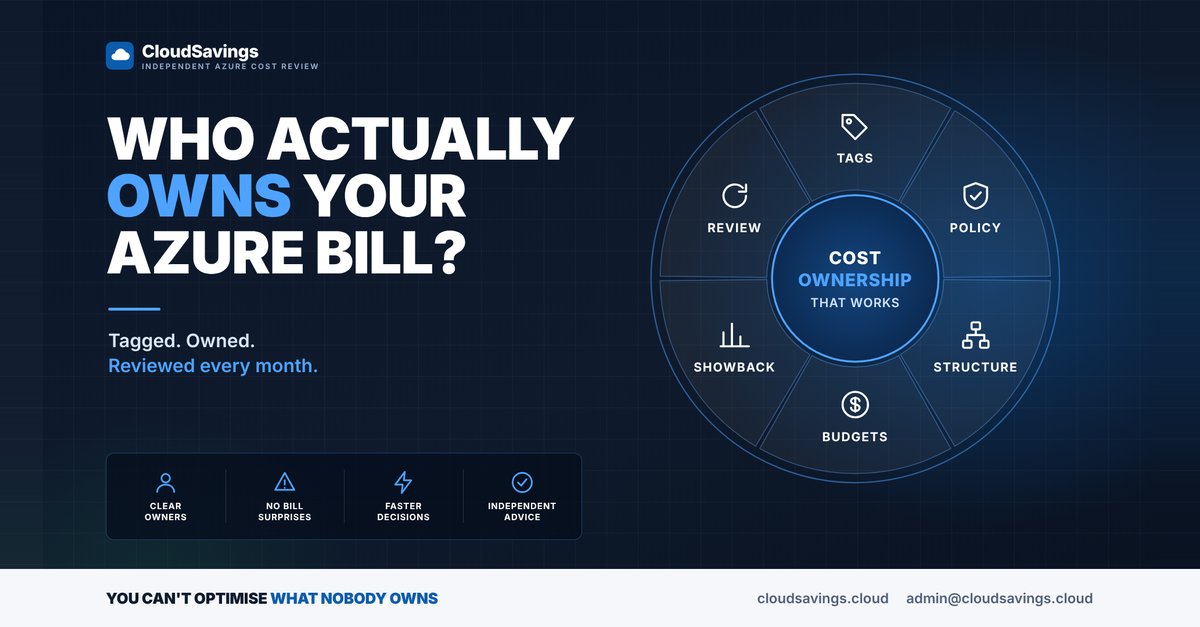
Good cost ownership in Azure connects six things. In our reviews, these are the settings we look at first.
- Required tags. Is there an agreed minimum, such as
ownerandcostcentre, and is it written down with exact spelling and casing? - Azure Policy enforcement. Are built-in policies such as Require a tag on resource groups assigned, so a resource group can't be created without an owner? Requiring the tag at resource group level and inheriting it downwards is usually less disruptive than blocking individual resource deployments.
- Policy inheritance. Is Inherit a tag from the resource group if missing assigned? It uses the Modify effect, so new resources pick up the tag automatically. Existing resources only change when you run a remediation task.
- Cost Management tag inheritance. This separate setting applies subscription and resource group tags to usage records, not to the resources themselves. It's available for Enterprise Agreement, Microsoft Customer Agreement and Microsoft Partner Agreement accounts, takes roughly 8 to 24 hours to apply, and updates the current month. It's a fast way to improve reporting, but it doesn't fix the tags on the resources.
- Structure. Do management groups and subscriptions reflect how the business actually runs, so that most spend has an obvious home before tags are even considered?
- Budgets per owner. Does each owner have a budget scoped to their subscription or resource group, with the alert going to their own address rather than a shared mailbox nobody reads? Forecasted alerts give earlier warning than actual-cost alerts.
- Showback and review. Does each owner see their own number every month, and does someone ask "is this still needed?" on a regular schedule?
The FinOps Framework calls this capability Allocation: deciding how costs are apportioned to those responsible for them. It includes a strategy for shared costs, such as central networking and support, so they don't become a permanent untagged bucket.
How to check your own estate
Every step below is read-only.
1. Measure the untagged share
In the Azure portal, open Cost Management and select Cost analysis. Set the scope as high as you can, such as a management group or billing account. Group by Tag and choose your owner tag. Look at the size of the untagged group for the last full month.
That number is your starting point. Treat it as a trend to drive down, not a score.
2. Look for spelling and casing variants
While grouped by tag, open the list of tag keys and values. Look for near-duplicates: owner, Owner and AppOwner, or the same team name with different casing. Each variant splits one owner's spend.
3. List untagged resources
Azure Resource Graph Explorer gives you a read-only inventory across subscriptions. This query lists resources with no owner tag:
Resources
| where isempty(tostring(tags['owner']))
| summarize untagged = count() by type, subscriptionId
| order by untagged desc
Change owner to match your exact tag key. A resource count isn't a cost figure, but it shows which resource types and subscriptions to fix first.
4. Check what Azure Policy enforces
Open Policy and go to Assignments. Look for tag policies at management group or subscription scope, then open Compliance to see how many resources are non-compliant. An assignment set to audit only, or one that was never remediated, is common.
5. Check the tag inheritance setting
In Cost Management, select your billing account, billing profile or subscription, then open the settings page for that scope (Configuration, Manage billing profile or Manage subscription). Look under Tag inheritance to see whether it's on, and whether resource tags or inherited tags win when both exist.
6. Check who actually gets the budget alerts
Open Cost Management and select Budgets. For each budget, check the scope and the alert recipients. A budget that emails a distribution list, or a person who has left, isn't ownership.
The lesson
Most organisations don't lack cost data. They lack a name next to each number.
Tags, policy, structure, budgets, showback and review only work together. Fix tagging without budgets and nobody gets told. Set budgets without tags and the alerts land with the wrong people.
You can't optimise what nobody owns. Start by finding out how much of your bill has no owner at all.
Sources
- Microsoft Learn: Group and allocate costs using tag inheritance
- Microsoft Learn: Use tags to organize your Azure resources and management hierarchy
- Microsoft Learn: Assign policy definitions for tag compliance
- Microsoft Learn: Tutorial, manage tag governance with Azure Policy
- Microsoft Learn: Create and manage budgets
- FinOps Foundation: Allocation capability
An independent view of your Azure spend. I sell no licences, managed services or remediation, so my findings have nothing attached to them.
Book a 30-minute call