Your Azure Anomaly Alert Fired. Who Read It?
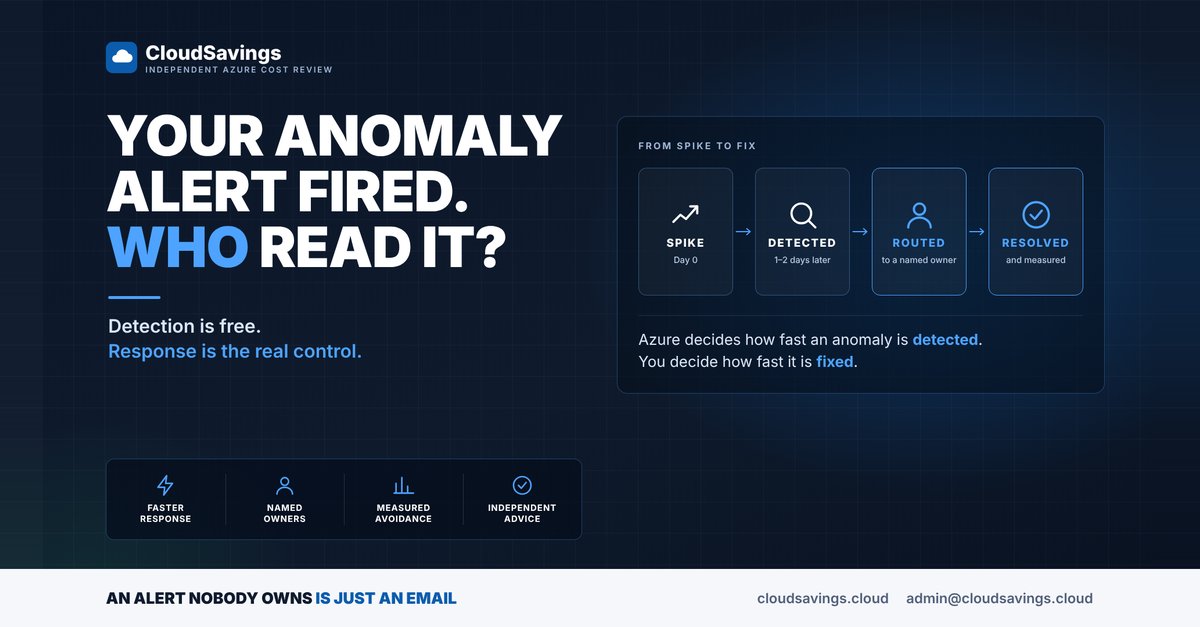
Azure Cost Management has included free cost anomaly detection for years. In a lot of tenants it is either switched off, or switched on and emailing a shared mailbox nobody reads.
Both cost the same. The second one just feels safer.
Anomaly detection is one of the few Azure cost controls that is free, takes minutes to enable and catches problems budgets miss. The catch is that "enabled" and "covered" are not the same thing.
How the native detector works
Azure's anomaly detection is a univariate time-series model. It watches one number, the daily cost of a subscription, and forecasts an expected range using an unsupervised, WaveNet-based model trained on the previous 60 days of usage. If a day lands outside that range, it is flagged.
Three details matter more than the model:
- It runs about 36 hours after the UTC day closes. It needs a complete day of billing data first, so an alert typically lands one to two days after the spike started.
- Alert rules live at subscription scope only. There is no native rule at management group level, and each subscription is limited to five anomaly alert rules.
- Alerts are email only. One email per detected anomaly, sent once, listing the resource groups that moved most. Getting it to Teams, a ticket queue or an on-call rotation is your job.
Anomaly alerts are also not available in Azure Government or the sovereign clouds.
Where "on" stops being "covered"
The gaps are rarely about the model. They are about what happens after the email is sent:
- Scope. New subscriptions don't inherit alert rules. If your landing zone creates subscriptions regularly, coverage quietly drifts.
- Latency. The one-to-two-day delay is structural. It is not a setting you can tune.
- Sensitivity. You don't choose the threshold. You get Microsoft's confidence interval.
- Routing. An email to a distribution list is not an alert. It is a newsletter.
- Ownership. The alert tells you a subscription spiked. It doesn't tell you who owns the resource group or what to do. That is usually why alerts go unactioned.
The FinOps Framework treats reacting to anomalies more than a week after they occur as a Crawl-stage trait. More mature practices route anomalies to the responsible team and track mean time to detect and mean time to notify owner as KPIs. The detector is the same. The difference is ownership.
Putting a number on it
The FinOps Foundation's playbook for anomaly-detected cost avoidance comes down to this: take the cost above the acceptable range, and multiply it by how long the anomaly would probably have run if nobody had caught it.
Here is an illustrative example, not a client. A VM scale set used for a load test is left scaled out. That service normally sits at up to A$600 a day. It is now running at A$2,000 a day.
- Excess cost per day: A$2,000 minus A$600 is A$1,400.
- Alert reaches a named owner, fixed on day 2: about A$2,800 of excess spend.
- Alert lands in a shared mailbox and is found at the weekly cost review, say day 7: about A$9,800.
- Nobody looks until the invoice arrives, say day 20: about A$28,000.
Same detector, same email, same spike. The difference between A$2,800 and A$28,000 is who received the alert and whether they knew it was theirs. Your numbers will differ, but the shape usually holds: detection speed is fixed, response speed is not.
What to check
- Coverage. Does every subscription that carries real spend have an anomaly alert rule, not just production?
- Recipients. Is each rule addressed to a person who recognises the workloads in it, or to a list?
- Rule count. Are you near the five-rule limit on any subscription because of duplicated or stale rules?
- Vending. Does your subscription vending pipeline deploy an anomaly alert rule with each new subscription?
- Permissions. Do the people who should manage these rules hold Cost Management Contributor or equivalent on the subscription?
- Advisor. When an anomaly lands on a resource Advisor already flags as underutilised or unattached, is anyone connecting the two?
- Timing. Does the team on the receiving end know the alert describes a day that ended roughly 36 hours earlier?
How to check your own estate
These steps are read-only.
1. List your subscriptions by cost
In Cost Management, open Cost analysis at the highest scope you can reach, such as a management group, and group by subscription. This is the list your anomaly coverage should match.
2. Check each subscription for an anomaly rule
For each subscription, open Cost Management with that subscription selected as the scope and go to Alert rules. Look for a rule with the alert type Anomaly. A subscription with spend and no rule is a gap.
3. Read the recipient list
Open each anomaly rule and read who it emails. For every address, ask one question: does this person know what runs in this subscription and have the authority to act on it? A shared mailbox or a team list fails that test more often than not.
4. Review recent anomalies
Open Cost alerts for the subscription and look at any anomalies raised in the last few months. For each one, find out when it started, when the email arrived and when it was resolved. If nobody can answer, that is the finding.
5. Check your vending process
If subscriptions are created by pipeline or template, look for an anomaly alert rule in that deployment. If it isn't there, coverage depends on someone remembering.
The point
Native anomaly detection is a good, free starting point. It is not a process. The value is created in the hours after the email arrives, and that part is organisational: named owners, sensible routing and someone who checks.
For the next anomaly you get, record three times: when it started, when the alert arrived and when it was fixed. That gap is your real exposure, and it is the number to improve.
Sources
- Microsoft Learn: Identify anomalies and unexpected changes in cost
- FinOps Foundation: Anomaly Management capability
- FinOps Foundation: Measuring Anomaly-Detected Cost Avoidance Playbook
An independent view of your Azure spend. I sell no licences, managed services or remediation, so my findings have nothing attached to them.
Book a 30-minute call